
CorelDRAW Graphics Suite has been a trusted name in professional graphic design for decades. The 2026 release takes a bold step forward — not by handing your creativity over to artificial intelligence, but by putting AI to work in service of it. The result is a faster, smarter, and more intuitive design experience without sacrificing the precision and control that CorelDRAW professionals rely on.
What Is Artist Intelligence?
The theme running through CorelDRAW Graphics Suite 2026 is what Corel calls “Artist Intelligence” — the idea that AI should enhance your workflow, not replace your creative decisions. Every new AI tool in this release is built around that philosophy. You stay in control. The AI just helps you get there faster.
What’s New in 2026
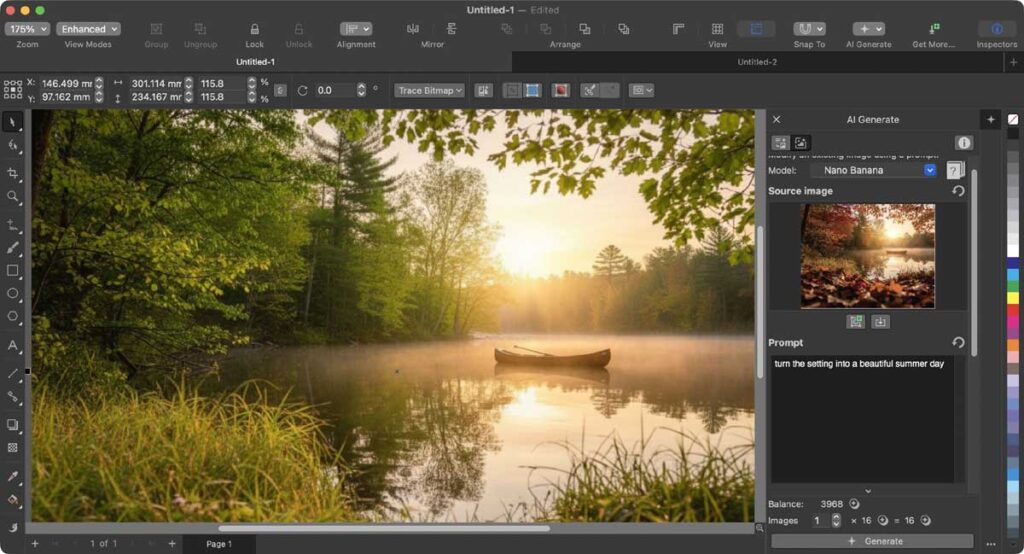
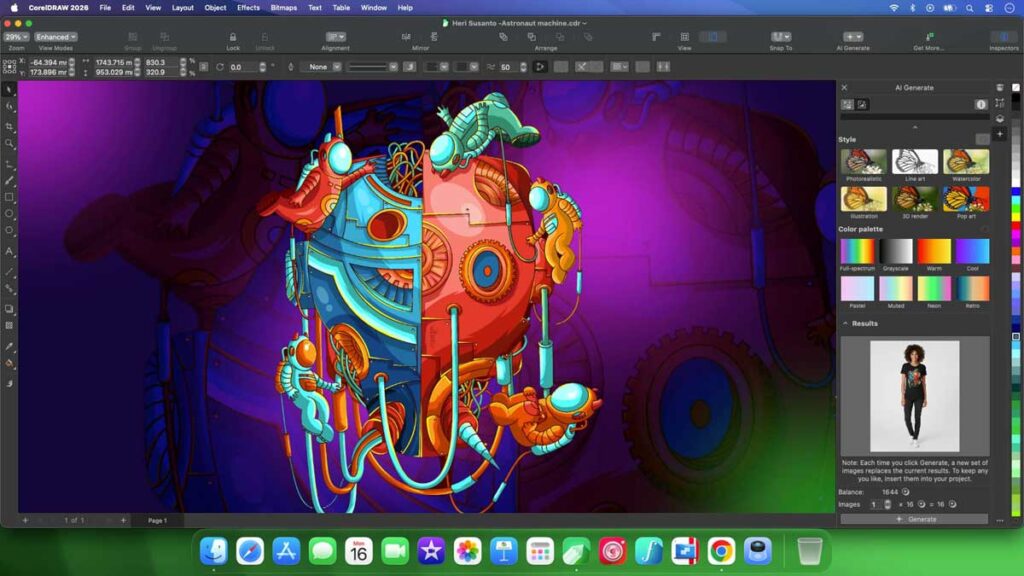
Generate Images with AI The new AI Generate panel lets you create original images directly inside CorelDRAW and Corel PHOTO-PAINT using simple text prompts. Choose from powerful models including Flux Schnell, Stable Diffusion 3.5, and Nano Banana, set your aspect ratio, pick a style or color palette, and generate multiple variations in seconds. You can also use an existing object or imported image as a reference and let AI reimagine it with adjustable strength.
Remix Images with AI The Remix Image tool lets you transform photos and mockups on the fly. Swap out elements, change environments, place subjects in new settings, and explore design variations with near-instant results — perfect for rapid ideation and client presentations.
One-Click Background Removal Remove photo backgrounds instantly with AI-powered precision. It handles tricky edges like hair, fabric, and fine detail cleanly, without the need for manual masking.
AI Masking in Corel PHOTO-PAINT The new Mask from Subject command automatically detects and isolates the main subject in an image. Complex masking tasks that used to take minutes now take seconds, with the ability to refine selections manually if needed.
Performance and Interface Improvements
Beyond the AI tools, CorelDRAW Graphics Suite 2026 launches up to three times faster than previous versions. The interface has been refreshed with updated icons, cleaner controls, and improved consistency between the desktop app and CorelDRAW Web — so switching between the two feels seamless.
Full support has been added for macOS Tahoe (26) and improved optimization for Apple Silicon, keeping Mac users running at full speed on the latest hardware.
What Subscribers Get
Subscribers and maintenance customers receive 2,000 AI credits every month to use on generative tools, plus access to over 200 new design templates, 50 additional pixel-based brushes, and continuous updates to CorelDRAW Web — including the same AI tools available on desktop, accessible from any browser.
One-time purchase customers receive a single allocation of 2,000 AI credits, with the option to purchase more as needed.
Who Is It For?
CorelDRAW Graphics Suite 2026 is built for graphic designers, illustrators, print professionals, signage creators, and small business owners who need professional-grade output without a steep learning curve. Whether you’re working on branding, marketing materials, vector illustration, or photo editing, this suite covers every stage of the design process in one environment.
At PCITService.com, we recommend CorelDRAW to clients who want industry-standard design tools that work the way creative professionals actually think — with full control, serious power, and now, the efficiency of AI built right in.
[ AFFILIATE LINK ]